log-viewer
发表于|更新于
|浏览量:
心平气和则能言——朱熹
https://github.com/FEMessage/log-viewer
分享一个前端日志库
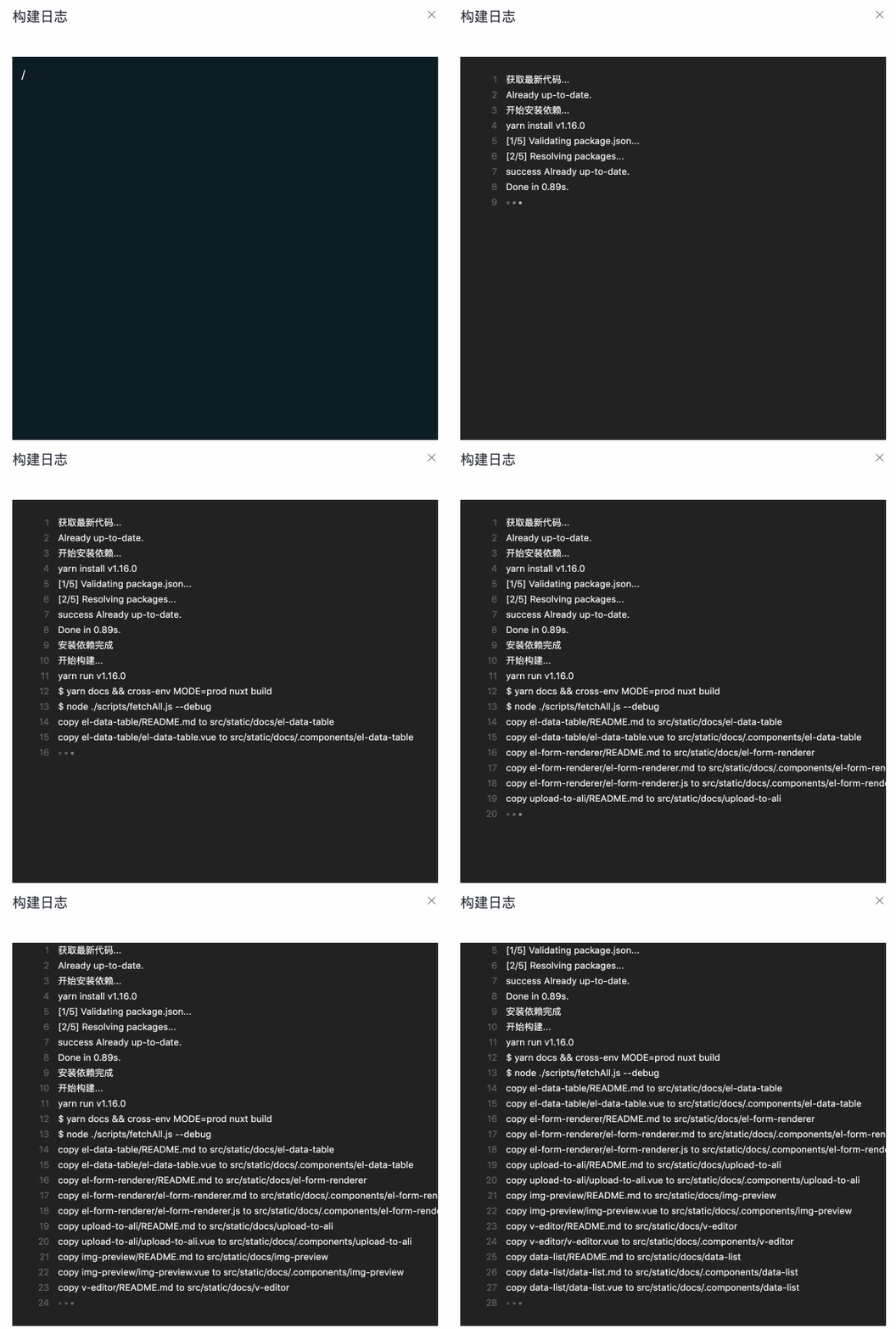
其提供了中文文档
https://github.com/FEMessage/log-viewer/blob/dev/README-zh.md
相关推荐
2021-05-12
vue子组件调用父组件方法
强迫学习的东西是不会保存在心里的。——《柏拉图论教育》 首先我们在子组件中这样定义 123456789101112131415<template> <div> <el-button @click="callSuper">123</el-button> </div></template><script>export default { methods: { callSuper() { this.$emit('parentEvent', '我的'); } }};</script> 这里的组件就只有一个el-button,点击后执行callSuper函数 里面这行this.$emit('parentEvent', '我的');表示 调用在父组件 引用子组件时 传入的事件 例如我这里调用了parentEvent,传入了个“我的”...
2026-04-04
twenty
学习是劳动,是充满思想的劳动。——乌申斯基 Twenty:社区驱动的“现代 Salesforce 替代品”,一位把 CRM 做成开源作品的理想主义者Twenty 走进来时,先把名片递给你: Building a modern alternative to Salesforce, powered by the community. 它不是冷冰冰的销售系统,更像一位有脾气、有追求的“客户关系管家”:不想再让 CRM 变成昂贵的牢笼,也不愿意让用户的数据被锁在黑箱里。它想做的是——用开源和社区把 CRM 这件事重新写一遍。 它还会抬起头,认真地补一句身份宣言: The #1 Open-Source CRM Why Twenty:它为什么非要“重做 CRM”?Twenty 讲理由时不绕弯,三句话,像三根钉子钉在桌面上。 1)CRMs 太贵了,而且用户被困住了传统 CRM 的套路太熟练:把客户数据锁住,然后涨价。Twenty 不认这个理,它的态度是:不该这样。 2)体验需要一次真正的“重启”Twenty 觉得老世界的 CRM 已经背了太多历史包袱。它要一个 fresh sta...
2021-08-03
uniapp导入样式坑
街灯已经燃起来了,方形的玻璃罩子里,清油灯的灯光在寒风中显得更孤寂,灯柱的影子淡淡地躺在雪地上。——巴金 今天在进行H5开发,遇到一个坑 我在style这里引入css样式文件 但注意不能在@import上方写css代码 当我在@import写完css代码可以明显看出样式失效了 之后大家务必注意这个坑。。。
2026-03-17
GitNexus
时间是伟大的导师。——伯克 GitNexus⚠️ Important Notice:** GitNexus has NO official cryptocurrency, token, or coin. Any token/coin using the GitNexus name on Pump.fun or any other platform is not affiliated with, endorsed by, or created by this project or its maintainers. Do not purchase any cryptocurrency claiming association with GitNexus. Join the official Discord to discuss ideas, issues etc! GitNexus: The Zero-Server Code Intelligence Engine - ...
2021-11-09
让link标签失效
此岸永远是残缺的,否则彼岸就要塌陷。——史铁生 一直有小伙伴吐槽我的博客太花哨了,想让我加个隐藏主题功能,于是我就加了一个 这里用到了jquery选择带对应属性的标签 我这里是让引入style.css的link标签失效了 关键代码如下: 隐藏 12<!-- 选中head节点,找到href属性为'/css/style.css'的link标签,添加属性disabled为disabled -->$("head").children("link[href='/css/style.css']").attr('disabled', 'disabled') 显示: 12<!-- 移除该属性 -->$("head").children("link[href='/css/style.css']").removeAttr('disabled')
2023-05-11
Arco Design Pro
旧书不厌百回读,熟读深思子自知——苏轼 分享一个开箱即用的中后台前端解决方案 https://github.com/arco-design/arco-design-pro-vue

阿超
我的名字叫阿超 年龄25岁 家在北京市 职业是软件开发 每天最晚也会在八点前回家 不抽烟 酒浅尝辄止 晚上十二点上床 保证睡足八个小时 睡前写一篇博客 再做二十分钟俯卧撑暖身 然后再睡觉 基本能熟睡到天亮 像婴儿一样不留下任何疲劳和压力 就这样迎来第二天的早晨 健康检查结果也显示我很正常 我想说明我是一个不论何时都追求内心平稳的人 不拘泥于胜负 不纠结于烦恼 不树立使我夜不能寐的敌人 这就是我在这社会的生活态度
Follow Me公告
This is my Blog