调试js事件小技巧
发表于|更新于
|浏览量:
万人都要将火熄灭,我一人独将此火高高举起。——海子
分享一个js调试事件小技巧
1 | <!DOCTYPE html> |
这里一个按钮,啥都没有
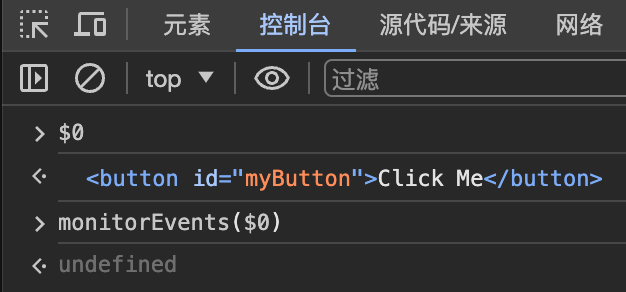
我们运行一下,给它在chrome console里添加事监听
1 | // 先用选中元素光标选一下按钮,这样$0就会指向按钮 |
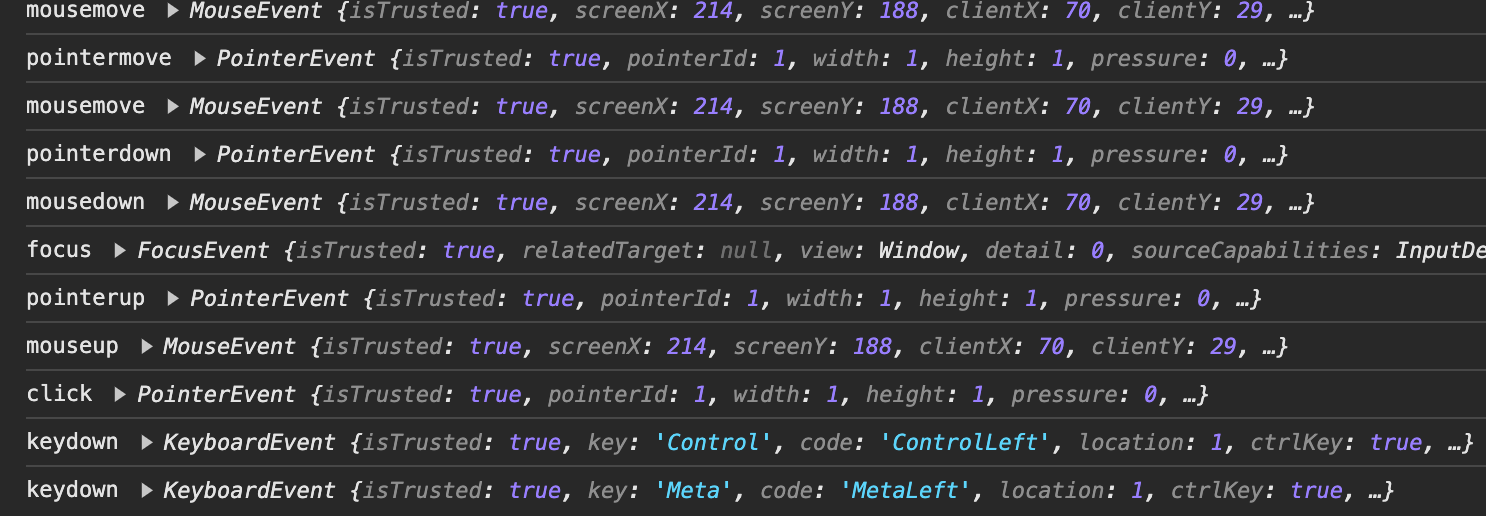
这时候我们触发其任何事件都会有输出
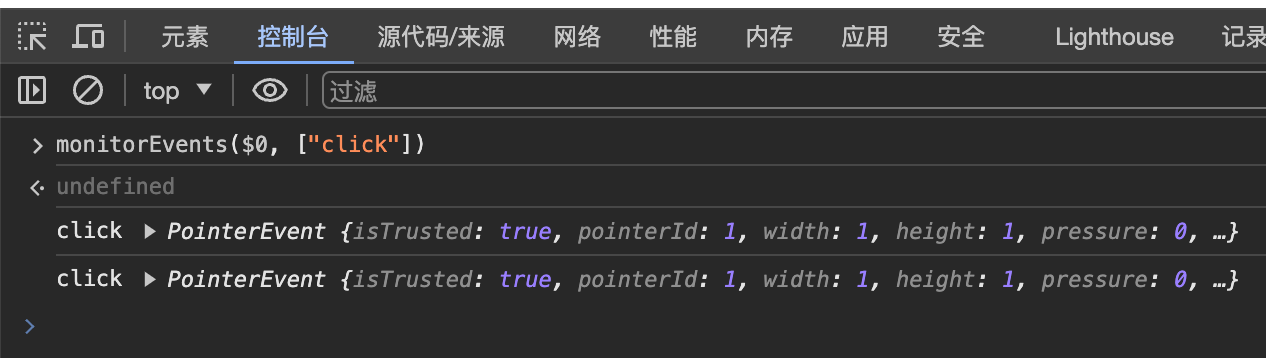
针对某一事件的话就传入该事件
1 | monitorEvents($0, ["click"]) |
相关推荐
2024-07-07
css的透视效果perspective
有两件事我最憎恶:没有信仰的博才多学和充满信仰的愚昧无知。——爱默生 我们知道css中我们的transform可以调整z轴,这说明css是有3d能力的 但是我们通常看一个3d的物体,是近的地方大,远的地方小甚至被遮挡,要实现这样的透视效果其实只需要一个css属性即可 https://developer.mozilla.org/zh-CN/docs/Web/CSS/perspective 就比如这个正方体: .face { display: flex; align-items: center; justify-content: center; width: 100%; height: 100%; position: absolute; backface-visibility: inherit; font-size: 60px; color: #fff } .front { background: rgba(90,90,90,.7); transform: translateZ(50px)...
2022-07-10
vue3配置jsx
正如自然忌讳真空一样,人类是讨厌平等的。——《我是猫》 首先按照官方文档创建项目: 1npm init vite hello-vue3 -- --template vue # 或 yarn create vite hello-vue3 --template vue 然后我们安装jsx插件:https://github.com/vuejs/babel-plugin-jsx 1npm install @vue/babel-plugin-jsx -D 然后配置vite.config.js 123456789101112import { defineConfig } from 'vite'import vue from '@vitejs/plugin-vue'import vuejsx from "@vue/babel-plugin-jsx"// https://vitejs.dev/config/export default defineConfig({ plugins: [vue(),...
2020-12-02
js进行深拷贝
共夸不受污泥染,没有污泥哪有莲。——《赏荷》 对象深拷贝 123456789101112131415161718192021222324252627282930export function deepClone (data) { var type = getObjType(data) var obj if (type === 'array') { obj = [] } else if (type === 'object') { obj = {} } else { // 不再具有下一层次 return data } if (type === 'array') { for (var i = 0, len = data.length; i < len; i++) { data[i] = (function () { if (data...
2022-02-04
js原型对象
不存在十全十美的文章,如同不存在彻头彻尾的绝望。——《且听风吟》 我们首先定义一个对象 1234567891011class Person { constructor(name,age) { this.name = name; this.age = age; } toString() { return '(' + this.name + ', ' + this.age + ')'; }};let ruben = new Person("ruben",21);console.log(ruben.toString()) 打印结果为: 1(ruben,21) 我们可以使用Person.prototype去获取Person的原型对象,从而更改类其中的方法 1234567Person.prototype.toString = function(){ return "Person{&q...
2022-02-23
react完成井字棋小游戏
人生就像迷宫,我们用上半生找寻入口,用下半生找寻出口。——朱德庸 上次说到我们按照官方文档体验了一下React 这次我们搭建本地react开发环境,首先需要将node升级到14以上并且npm需要5.6以上,这个去官网下载安装包覆盖安装即可 然后我们按照教程创建项目 1npx create-react-app my-app 注意 第一行的 npx 不是拼写错误 —— 它是 npm 5.2+ 附带的 package 运行工具。 然后删除src目录下的默认文件,创建一个index.css以及index.js index.css 1234567891011121314151617181920212223242526272829303132333435363738394041424344454647484950body { font: 14px "Century Gothic", Futura, sans-serif; margin: 20px; } ol, ul { padding-left: 30px...
2022-07-17
vue3中css里的v-bind
一旦别人问起自己想要什么,那一刹那反倒什么都不想要了。——太宰治 官方文档:状态驱动的动态 CSS 编写一个组件: 123456789101112131415161718192021222324252627<template> <div class="ruben"> <p>You clicked {{ count }} times</p> <button @click="increment">Click me</button> </div></template><script>export default { data() { return { count: 1 } }, methods: { increment...

阿超
我的名字叫阿超 年龄25岁 家在北京市 职业是软件开发 每天最晚也会在八点前回家 不抽烟 酒浅尝辄止 晚上十二点上床 保证睡足八个小时 睡前写一篇博客 再做二十分钟俯卧撑暖身 然后再睡觉 基本能熟睡到天亮 像婴儿一样不留下任何疲劳和压力 就这样迎来第二天的早晨 健康检查结果也显示我很正常 我想说明我是一个不论何时都追求内心平稳的人 不拘泥于胜负 不纠结于烦恼 不树立使我夜不能寐的敌人 这就是我在这社会的生活态度
Follow Me公告
This is my Blog